

Reviewing your team’s activity with the Activity Log
With multiple people from your team (learn how to manage multiple team members) able to access your Pressidium Dashboard, sometimes it’s useful to be able to keep tabs on who has done what.
Equally, in the event of a problem, being able to see what actions were taken, and when they were performed, can help troubleshoot an issue.
You can get all this information and more using the Activity Log.
Access the Activity Log
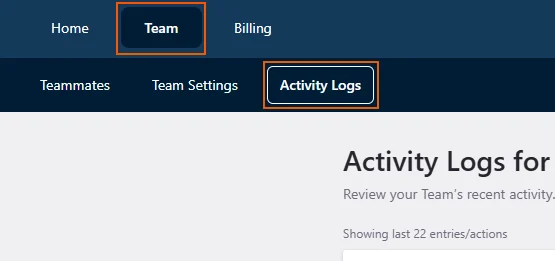
While on the dashboard home page, select Team in the top menu, then the Activity Log tab.
The last 100 activity entries will be displayed. For each entry you can view the action that was performed, the related website and environment as well as the action date and the team member that initiated the action.
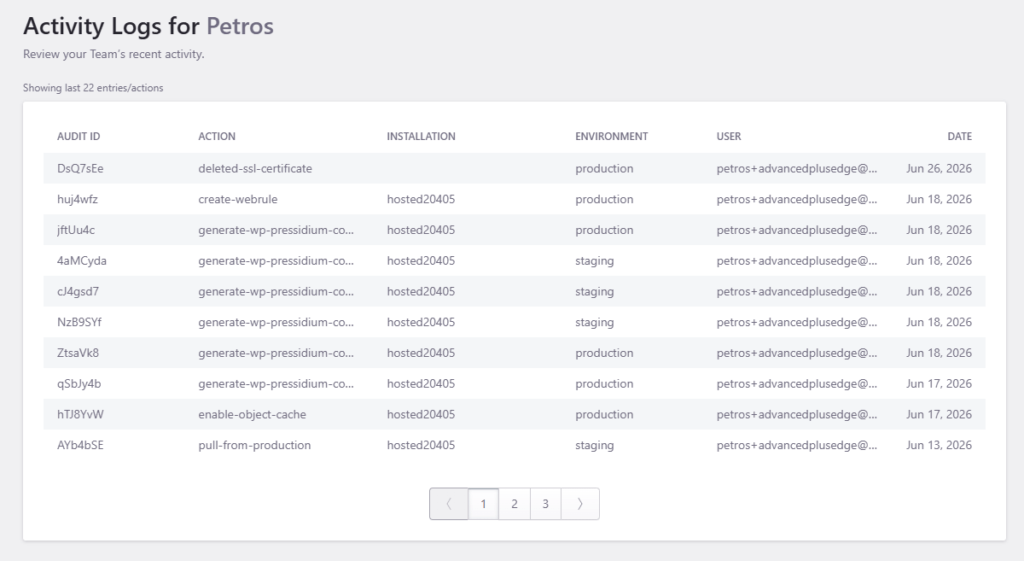
Hovering over the action name will give you the Activity Log ID, which might be usefull in case you need to troubleshoot an action with our Support Team.
Please note that you need to be a Team Owner to be able to access and review the Activity Log.
Need help?
If you cannot find an expected activity entry, or you are not sure what an activity log event means, contact our Support team for guidance.
Where to go next
- Manage role-based dashboard users if activity log entries show access that needs to be changed.
- Review roles and permissions of dashboard users to understand what each user can access or change.
- Secure your account using two-factor authentication if you notice suspicious account activity.
- Manage SFTP users if file-level access also needs to be reviewed.
Was this article helpful?