

Roles & Permissions of Dashboard users
Dashboard roles let you control what each team member can access and manage. You can assign and update these roles from the Team page in the Pressidium Dashboard.
Using the Pressidium Dashboard
You can manage team members and assign roles via the Team page (select the Team menu option from the Dashboard sidebar).
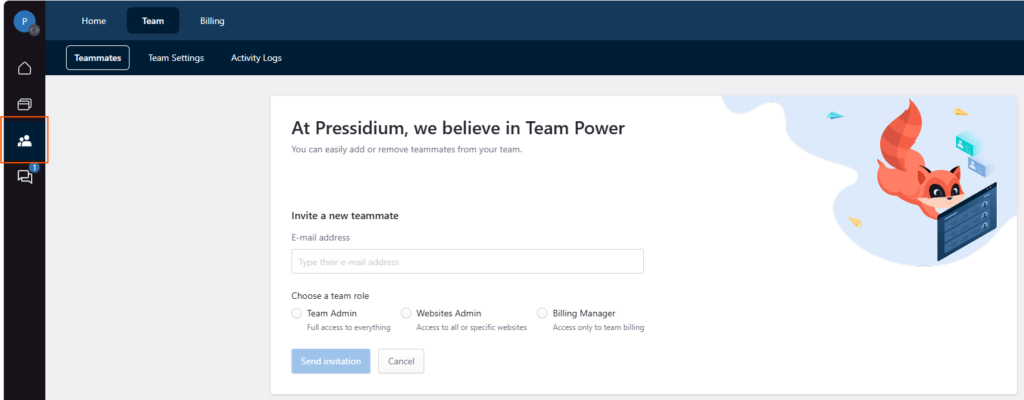
The following user roles can be assigned to a user/team member:
Team Administrator
This role has full Dashboard permissions and is identical to the Team Owner. Team Administrators can create/remove users and assign roles so use with caution!
Websites Administrator
This role has full Dashboard permissions but without the ability to create and edit Dashboard users/team members and without access to billing-related information.
Billing Manager
This role enables Dashboard users to access and edit billing-related information only, as well as download and pay invoices.
Need help?
If you are not sure which role gives the right level of access, contact our Support team before assigning or changing user permissions.
Where to go next
- Manage role-based dashboard users to add, remove, or update dashboard users.
- Review your team’s activity with the activity log to audit recent account and site changes.
- Manage SFTP users if a user also needs file access to a website.
- Secure your account using two-factor authentication to strengthen dashboard login protection.
Was this article helpful?