

Help! I have been locked out from my site!
There are two different levels of lock-out that can occur. The first is getting locked-out due to multiple failed login attempts. When this happens, you’ll get the following message:
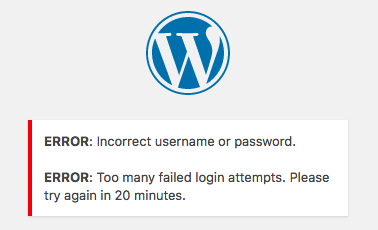
This is expected behaviour when you, or somebody else, attempts several time to access your password protected WordPress resources without success.
The platform limits the number of login attempts from a single IP address to three within twenty minutes.
The second, and more persistent lock-out, is at the network level, where your IP address is banned by our firewalls. In this case, you won’t see anything, except your browser trying to connect to the website.
Please open a support ticket, and we will lift the ban in a matter of minutes.
Need help?
If you cannot regain access to your site, or you are not sure why access was blocked, contact our Support team before making further access changes.
Where to go next
- Log in to WordPress with a one-time login link if you need temporary access without using a password.
- Reset a WordPress user password if you need to regain access to a WordPress user account.
- Secure your account using two-factor authentication to strengthen dashboard login protection.
- Create and manage strong passwords before setting or sharing new credentials.
Was this article helpful?