

How do I give database access to a third-party?
If you want to give database access, for example to a third party developer or agency working on your site, you can create a Website Manager user.
- Create the user, assigning the Website Manager role.
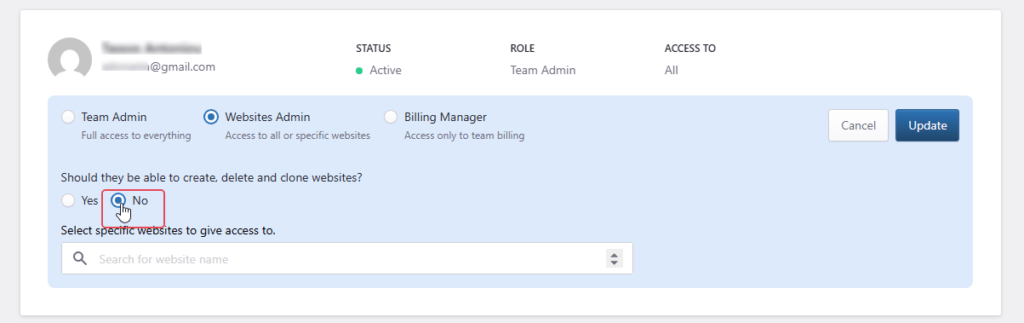
- Grant access to the specific website by selecting No for the option”Should the be able to create, delete and clone websites?“.
Need help?
If you are not sure whether a third party should have database access, or which details to share with them, contact our Support team before granting access.
Where to go next
- Back up or export your database before allowing a third party to review or modify database data.
- Manage role-based dashboard users if the third party also needs Pressidium Dashboard access.
- Review roles and permissions of dashboard users before granting broader account or site access.
- Review your team’s activity with the activity log to audit access-related changes.
Was this article helpful?