

Where can I find my website’s IP addresses
Your website is hosted on a highly-available cluster of servers (regardless of your hosting plan) and is associated with two (or more) different IP’s for load balancing capability (make sure to properly setup your DNS for this to work).
IP information varies depending on whether your website is hosted on Pressidium’s Advanced Network or Pressidium’s EDGE NextGen network.
Websites using Pressidium’s Advanced Network
To view the IP’s associated with your website:
1. Navigate to the website overview screen by selecting/clicking on the related card in the Websites overview screen.
2. On the Domains and SSL section click on CLUSTER IPs to expand the panel and view the IPs associated with your website.
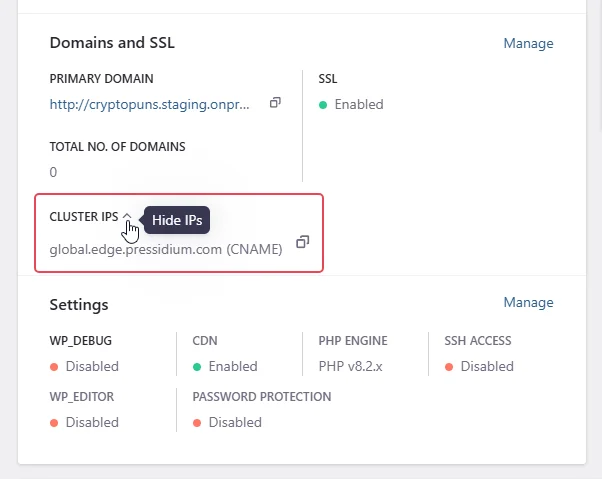
Websites using Pressidium’s EDGE
DNS details and IP information might be different for each domain mapped to your website. To view the DNS records associated with your website and domain:
1. Navigate to the website overview screen by selecting/clicking on the related card in the Websites overview screen.
2. Navigate to the Domains screen and locate your domain name.
3. Select Configure – DNS Details or Configure – DNS Settings to open a modal dialog displaying the DNS records that should be associated with your website and domain name.
Need help?
If you cannot find the IP addresses for your website, or you are not sure which records to add at your DNS provider, contact our Support team before changing DNS records.
Where to go next
- Set up your domain and DNS records if you are ready to point your domain to Pressidium.
- Review why there are two or more A records for your website if you see multiple IP addresses for the same website.
- Check whether DNS changes have propagated after adding or updating your DNS records.
- Enable SSL after the domain points to Pressidium.
Was this article helpful?