

Contact Pressidium Support (open a request)
Open a support request via our ticketing system
Using the Pressidium Dashboard
- Click the Support menu option from the Dashboard sidebar.
- Click the Create New Ticket button to open the related modal dialog:
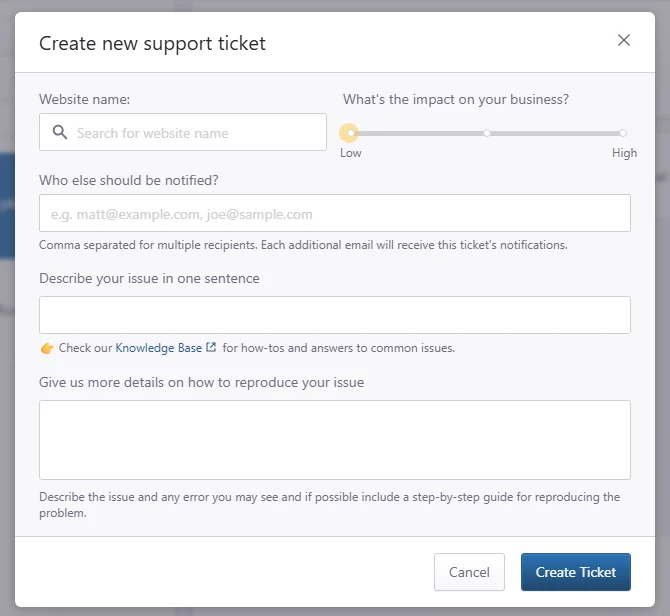
3. Fill in the fields with the ticket’s information, try to include as much detail as possible. If applicable you can select the affected website using the Website select box. You can include third-parties in the email by adding their e-mail address in the Who else should be notified field. Click the Create Ticket button to open a new support request. Your open tickets will be visible in the Your support tickets screen.
Open a support request via e-mail
Send an e-mail to support at Pressidium dot com and your request will automatically create a new ticket.
You can include third-parties in the email by adding their e-mail address in the CC: field. They will receive the replies in the issue thread, and can respond via e-mail as well.
This is useful in cases where collaboration is needed, for example with the plugin or theme developer, for an issue resolution.
Where to go next
- Review our support ethos to understand how Pressidium Support helps customers.
- Subscribe to Pressidium status updates if you want to monitor platform status updates.
- Review your team’s activity with the activity log if you need to check recent account or site changes before contacting Support.
Was this article helpful?