

Switch your PHP runtime
Pressidium supports running different PHP versions for each website and environment. To switch your PHP version:
Using the Pressidium Dashboard
- Navigate to the website overview screen by selecting/clicking on the related card in the Websites overview screen.
- Verify the environment you want to apply the change, Production or Staging, by checking out the currently selected environment in the navigation bar.
- Click on the Settings menu.
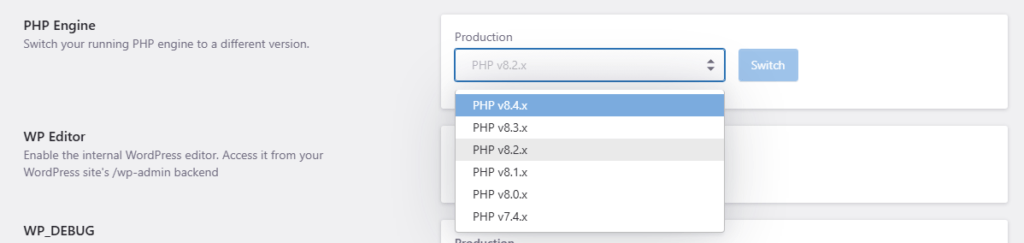
- Select the desired PHP version from the PHP Engine menu.
- Click Switch to make the change. Changes will take effect in a few minutes.
Tips and considerations
- Check out our Upgrading PHP article for suggested actions and tips on upgrading your PHP runtime.
- You can use your staging environment (or website clones) to test these potential compatibility issues and fix them before switching the PHP version on the production environment.
Need help?
If you are not sure which PHP version to use, or the site shows errors after switching runtime, contact our Support team before changing it again.
Where to go next
- Upgrade PHP if the runtime change is part of a PHP version upgrade.
- Create an instant backup before changing PHP runtime on production.
- Enable WordPress debug logs if you need to investigate errors after switching runtime.
- Override PHP.ini variables if your site needs custom PHP configuration after the runtime change.
Was this article helpful?