

Upgrade your account to Pressidium EDGE
Pressidium EDGE is included with every hosting plan at no extra cost. Request an account upgrade to route your websites’ traffic through the EDGE network.
This guide applies to accounts provisioned on Pressidium’s Advanced Network that wish to transition to the Pressidium EDGE Global Network.
For preparation, DNS and SSL checks, and validation after the upgrade, see Move a Pressidium-hosted site to EDGE.
Prerequisites
Make sure you:
- Have access to your domain’s DNS settings at your DNS provider. You will need to update your websites’ DNS records as a final step in activating Pressidium EDGE.
- Lower the TTL (Time to Live) of your domains’ existing records before the DNS changes. This can help changes propagate more quickly. You can restore the TTL afterward.
Request the upgrade
Start by requesting a free upgrade from your Dashboard.
- Visit https://dashboard.pressidium.com/edge-upgrade.
- Sign in. If you belong to multiple teams, select the team whose account you want to upgrade.
- You should be redirected to the upgrade page. Alternatively, find the Upgrade Banner at the top of the page and click Upgrade Now.

Then click Schedule a free upgrade to request an upgrade.
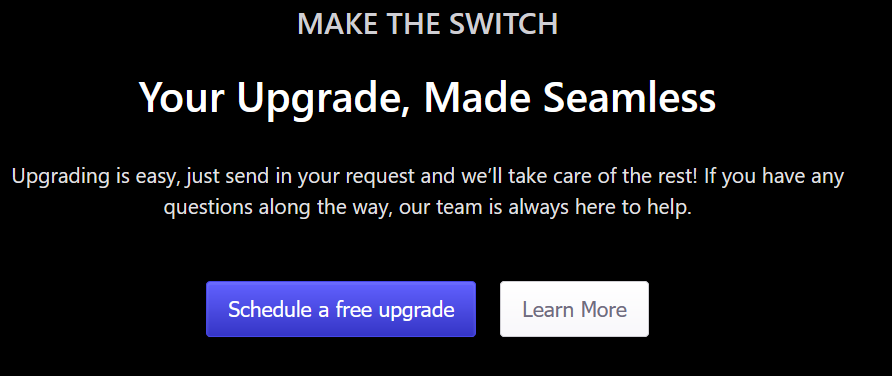
This opens a support ticket. Our team follows up with instructions for the upgrade.
If the upgrade banner is not visible, open a support request and ask to upgrade your hosting account to Pressidium EDGE.
Follow Support’s instructions to prepare your domains and update DNS. Complete any required ownership verification for Pressidium-managed SSL before changing traffic-routing records so the certificate can be issued in advance. The hosted-site upgrade guide covers existing domains and checks after the switch.
Where to go next
- Follow Add a domain or subdomain and update DNS records to verify domain ownership and route website traffic through Pressidium EDGE.
- Open the Domains screen to confirm that the domain is connected, HTTPS is enabled, and traffic is routed through EDGE.
- Check whether your DNS changes have propagated if the domain or SSL status remains pending after updating the records.
Was this article helpful?